
Review Insights transforms your customer reviews into clear, actionable business intelligence using artificial intelligence.
Instead of reading hundreds or thousands of reviews manually, Review Insights analyzes every review for recurring themes, customer sentiment, feature requests, product issues, and business opportunities. The result is a comprehensive dashboard that helps you understand exactly what customers love, what frustrates them, and where you should focus next.
Whether you’re launching a new product, improving an existing listing, or researching customer feedback, Review Insights helps you make faster, data-driven decisions.
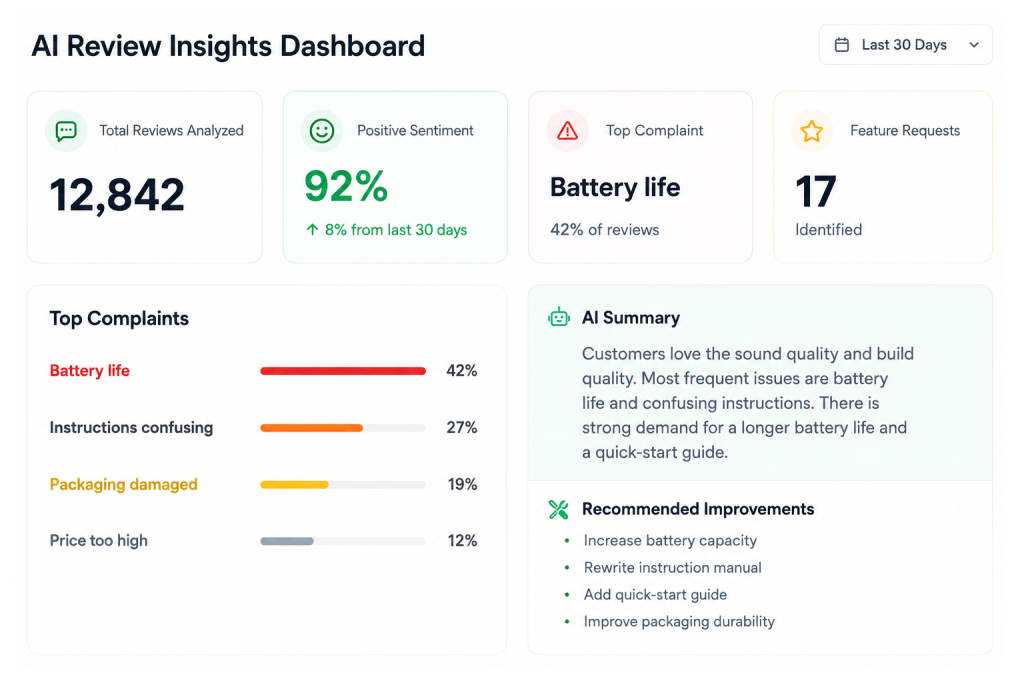
What Review Insights Analyzes #
Review Insights automatically analyzes every customer review collected through your ReviewScanGo campaigns, including:
- Overall customer sentiment
- Star ratings
- Customer emotions
- Product strengths
- Product weaknesses
- Frequently mentioned topics
- Recurring complaints
- Feature requests
- Marketing opportunities
- Product improvement opportunities
- AI-generated recommendations
As new reviews are received, your reports become more accurate and continue to evolve over time.
Dashboard Overview #
Review Insights is organized into four primary sections.
Overview #
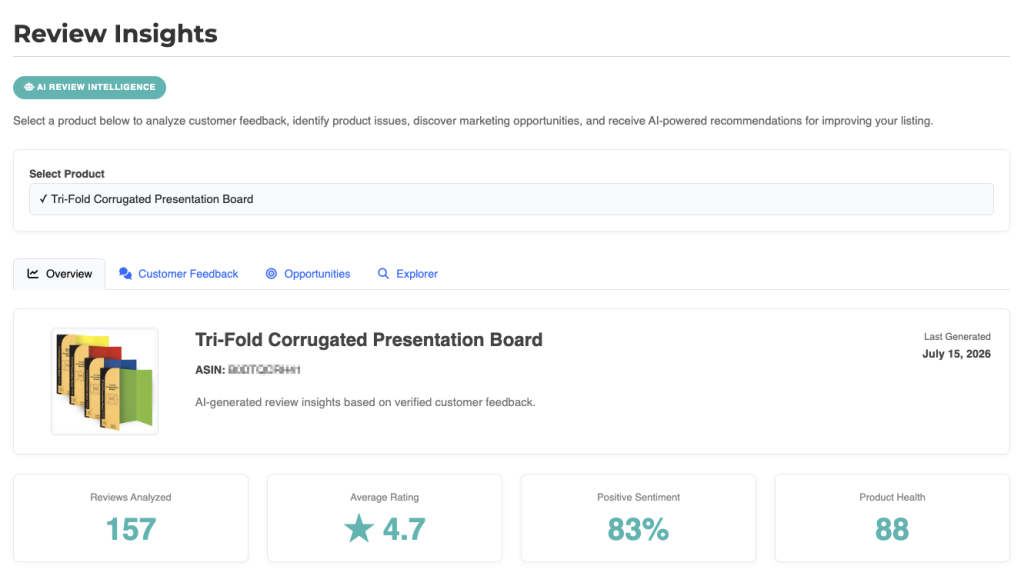
The Overview dashboard provides a high-level summary of your product’s performance.
Here you’ll find:
- Executive AI summary
- Reviews analyzed
- Average rating
- Positive sentiment percentage
- Product Health score
- Biggest Opportunity
- Top Priority Actions
This is the best place to quickly understand your product’s current strengths and weaknesses.
Customer Feedback #
The Customer Feedback section provides a deeper look into how customers feel about your product.
It includes:
- Customer sentiment breakdown
- Rating distribution
- Topic Matrix
- Top strengths
- Customer concerns
- Marketing opportunities
- AI recommendations
- Top Praise
- Top Complaints
- Feature Requests
- Voice of the Customer
This section helps you understand what customers consistently praise and where improvements are needed.
Opportunities #
The Opportunities section identifies the highest-impact improvements you can make to your product.
Each opportunity includes:
- Opportunity Score
- AI Confidence
- Business Impact
- Customer Evidence
- Action Plan
- Expected Business Outcomes
Instead of simply listing complaints, Review Insights prioritizes issues based on their potential impact on customer satisfaction and business performance.
Review Explorer #
Review Explorer allows you to browse every individual review used to generate your reports.
You can:
- Search reviews
- Filter by sentiment
- Filter by rating
- Sort by newest or oldest
- Inspect AI classifications
- Read the original customer comments
Explorer makes it easy to verify AI findings and investigate specific customer feedback.

How AI Helps #
Artificial intelligence does more than summarize reviews.
Review Insights identifies hidden patterns that are difficult to spot manually, including:
- Frequently recurring issues
- Emerging customer trends
- Common feature requests
- Relationships between different complaints
- Marketing messages customers naturally use
- Product improvements that may have the greatest business impact
The AI continuously looks for patterns across your entire review history rather than evaluating reviews individually.
How Reports Improve Over Time #
Review Insights becomes more valuable as additional reviews are collected.
With more customer feedback, the AI can:
- Increase confidence in its analysis
- Detect emerging trends earlier
- Identify recurring issues more accurately
- Improve opportunity recommendations
- Produce more reliable executive summaries
Small datasets can still provide useful insights, but larger collections of reviews produce more comprehensive analysis.
Typical Questions Review Insights Can Answer #
Review Insights helps answer questions such as:
- Why are customers leaving lower ratings?
- What features do customers love most?
- What product issues occur most often?
- Which improvements would have the biggest impact?
- What marketing language resonates with customers?
- What feature requests are becoming more common?
- How has customer sentiment changed over time?
- Which complaints should be prioritized first?
Getting Started #
Getting started is simple:
- Collect customer reviews using your ReviewScanGo campaigns.
- Open the Review Insights page.
- Select one of your products.
- Review the Executive Summary and Overview dashboard.
- Explore Customer Feedback, Opportunities, and Review Explorer for deeper analysis.
- Use the AI recommendations to improve your product, listing, packaging, or marketing.
Tip: Review Insights is designed to help you make better product decisions—not replace your own judgment. Use the AI recommendations together with your business knowledge, customer research, and marketplace data to make the most informed decisions possible.
Read Next: How Review Insights Works