
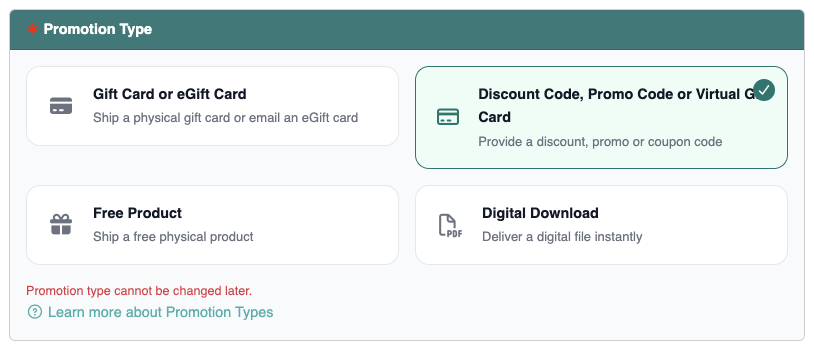
Entering coupon codes is only available if you select the Discount Code, Promo Code or Virtual Gift Card option when creating a new Promotion.
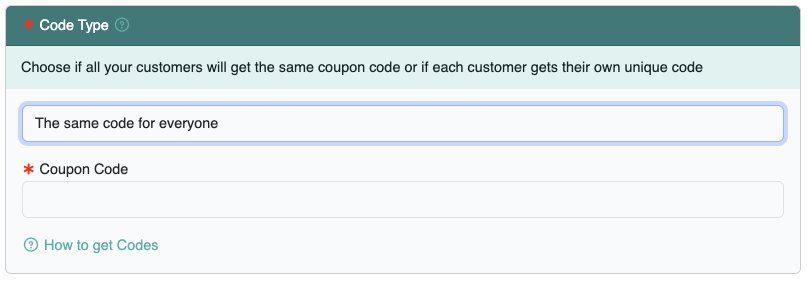
Same Code for Every Customer #
Choose this option if every customer will use the same discount code to redeem the offer. For example, if you have a $5 off coupon and everyone will use the same discount code “SAVE5”, then choose Same Code for Every Customer and enter “SAVE5” in the Coupon Code field on the promotion.
Every Customer Will Get a Unique Code #
Choose this option if everyone customer will receive a different code in order to redeem the offer such as a single use Amazon Promotion. You can also choose this option if you’ve purchased physical gift cards and you’d like to automatically send each customer the card details through our system instead of mailing the card. Enter your list of codes or the gift card details into the Coupon Codes List for the promotion.
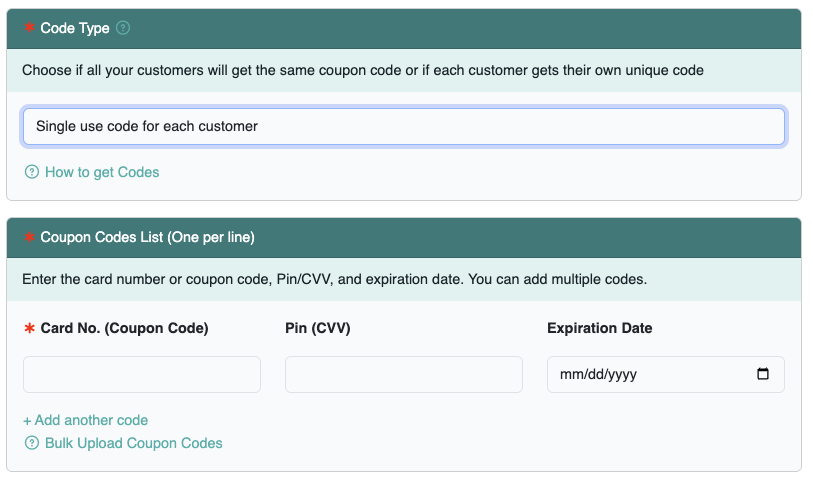
Coupon Codes List #
Add coupon codes as needed. You can edit or add additional coupon codes at anytime. You can add new codes one at a time as you need or you can bulk upload a list of coupon codes in a CSV file. Only unused coupon codes are shown.