
The Opportunities tab helps you identify the improvements that are most likely to increase customer satisfaction and business performance.
Rather than simply listing complaints, Review Insights analyzes every customer review to determine which issues have the greatest potential impact if resolved.
Each opportunity is supported by AI analysis, customer evidence, and a recommended action plan, allowing you to focus on the improvements that matter most.
Biggest Opportunity #
At the top of the Opportunities page you’ll find your Biggest Opportunity.
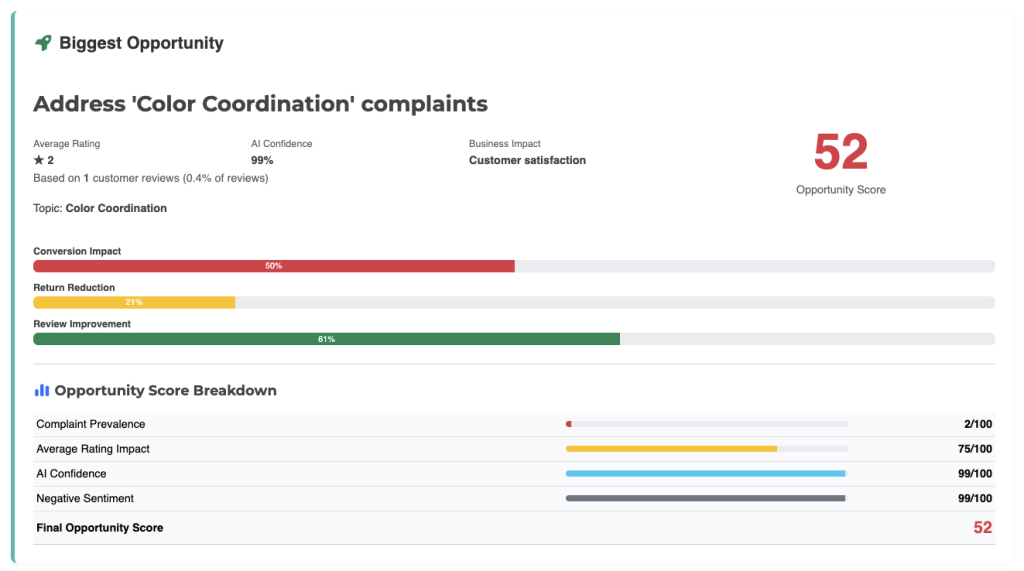
This represents the single improvement the AI believes will have the greatest positive impact on your product.
The Biggest Opportunity is selected based on multiple factors, including:
- Frequency of customer mentions
- Customer sentiment
- Average review rating
- Severity of the issue
- AI confidence
- Estimated business impact
Rather than chasing dozens of minor issues, start with the Biggest Opportunity to maximize the return on your improvement efforts.
Opportunity Score #
Every opportunity includes an Opportunity Score.
This score estimates the potential value of addressing a specific issue.
The Opportunity Score considers several factors, including:
- How often customers mention the issue
- The ratings associated with those reviews
- Customer frustration levels
- AI confidence
- Expected business impact
Higher Opportunity Scores generally indicate improvements that should receive higher priority.
AI Confidence #
Each opportunity also includes an AI Confidence score.
This indicates how confident the AI is that the identified issue accurately represents customer feedback.
Higher confidence usually means:
- Many customers discussed the issue
- Reviews consistently describe the same problem
- There is little conflicting feedback
Lower confidence may indicate:
- Limited customer evidence
- Mixed customer opinions
- A newer or emerging issue
Confidence helps you understand how reliable the recommendation is before taking action.
Business Impact #
Every opportunity includes an estimated Business Impact.
This identifies the primary area of your business that is expected to benefit from resolving the issue.
Examples include:
- Customer Satisfaction
- Conversion Rate
- Product Quality
- Returns Reduction
- Customer Retention
- Brand Reputation
Business Impact helps prioritize improvements based on expected results rather than complaint volume alone.
Customer Evidence #
Review Insights supports every opportunity with real customer feedback.
The Customer Evidence section highlights reviews that contributed to the recommendation.
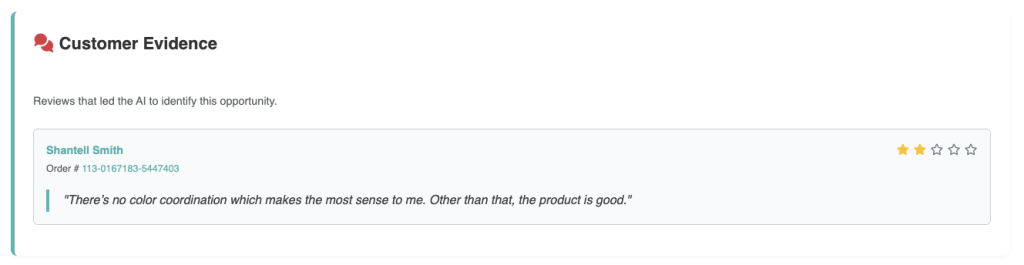
This allows you to:
- Read the original customer comments
- Understand the context behind the issue
- Verify the AI’s conclusions
- Identify recurring language used by customers
Reading the supporting reviews often provides additional insights that may not appear in the summary alone.
Why AI Selected This Opportunity #
Every recommendation includes an explanation describing why the AI considers it important.
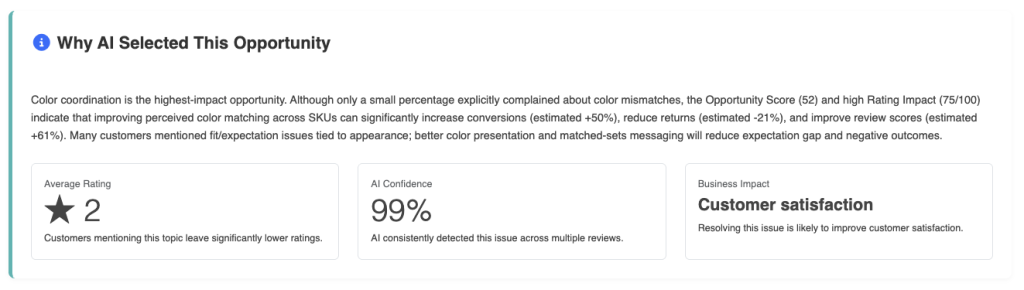
This explanation may reference:
- Recurring customer complaints
- Product usage patterns
- Customer expectations
- Review frequency
- Severity of the issue
- Potential business improvements
Understanding the reasoning helps you make informed decisions about which opportunities deserve immediate attention.
Action Plan #
Each opportunity includes a recommended Action Plan.
Rather than simply identifying problems, Review Insights provides practical suggestions for addressing them.
Action plans are often divided into multiple phases.
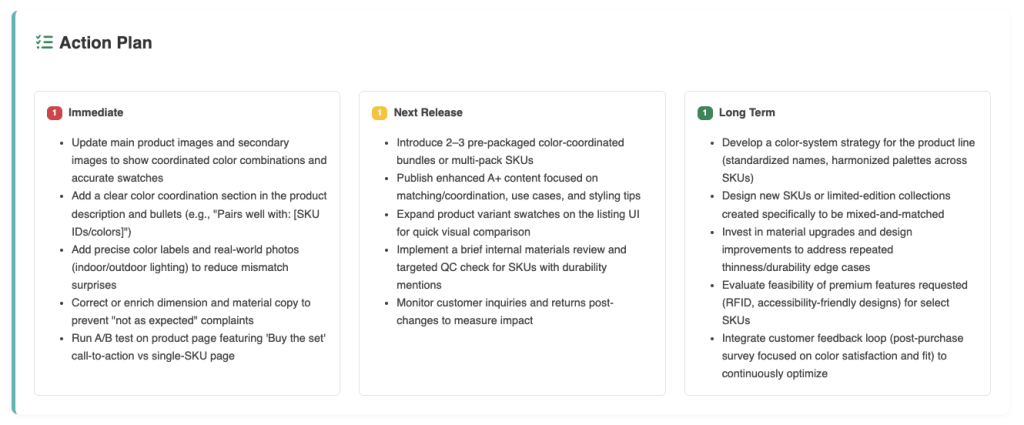
Immediate Actions #
These are improvements that can often be implemented quickly.
Examples include:
- Updating your product listing
- Clarifying product descriptions
- Improving images
- Updating instructions
- Responding to customer expectations
Next Product Revision #
These improvements typically require product updates.
Examples include:
- Design changes
- Material improvements
- Packaging updates
- Manufacturing adjustments
- Quality control improvements
Long-Term Improvements #
Some recommendations are better suited for future product versions.
Examples include:
- New product features
- Additional accessories
- Expanded compatibility
- Product line expansion
- Advanced functionality
Breaking recommendations into phases helps prioritize work based on effort and expected impact.
Expected Business Outcomes #
Each opportunity estimates the potential benefits of implementing the recommended improvements.
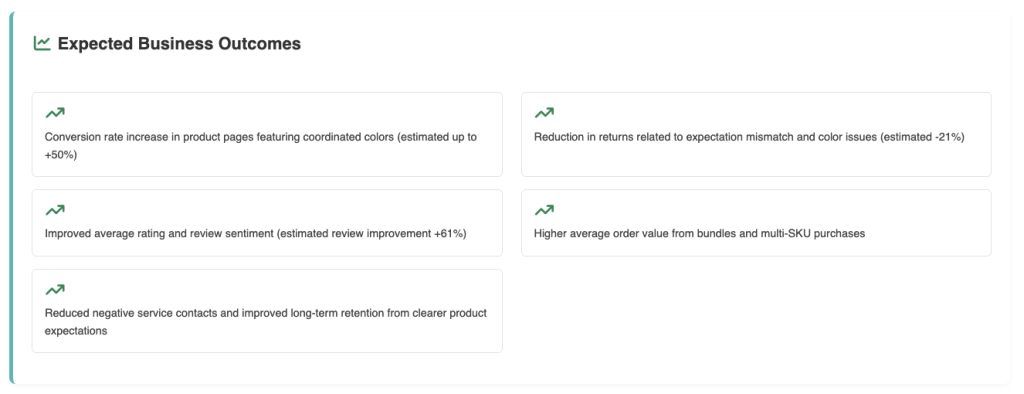
Possible outcomes include:
- Higher customer satisfaction
- Improved product ratings
- Fewer negative reviews
- Reduced product returns
- Increased customer loyalty
- Better conversion rates
- Stronger product reputation
These estimates help you understand the potential value of investing in specific improvements.
Prioritizing Opportunities #
Not every recommendation requires immediate action.
A good approach is to prioritize opportunities that have:
- High Opportunity Scores
- High AI Confidence
- Strong customer evidence
- Significant business impact
- Frequent customer mentions
Addressing these opportunities first typically produces the greatest improvement in customer satisfaction.
Turning Insights into Action #
The Opportunities page is designed to help you move from analysis to execution.
A recommended workflow is:
- Review the Biggest Opportunity.
- Examine the Opportunity Score and AI Confidence.
- Read the supporting Customer Evidence.
- Understand why the AI selected the recommendation.
- Review the Action Plan.
- Implement the highest-priority improvements.
- Continue collecting customer reviews to measure the impact of your changes.
Over time, you should see changes in customer sentiment, Product Health, and future opportunity recommendations as your product improves.
Best Practices #
To get the most value from the Opportunities page:
- Focus on recurring customer issues instead of isolated complaints.
- Prioritize recommendations supported by many customer reviews.
- Validate important findings by reading the original reviews in Review Explorer.
- Address the highest-impact opportunities before making smaller improvements.
- Revisit your opportunities regularly as new reviews are collected.
- Use customer feedback alongside your own product knowledge and marketplace research when making business decisions.
Read Next: Review Explorer