
If your promotion uses single-use coupon codes and your available codes are depleted, your Smart Funnel will automatically stop issuing coupons.
This ensures each customer receives a valid, unused code.
What Happens When Codes Run Out #
When your code pool reaches zero:
- Customers can still complete the funnel.
- No new coupon codes will be delivered.
- Redemptions requiring a code will remain pending until new codes are added.
To avoid interruptions, we recommend monitoring your available code count regularly.
How to Add More Coupon Codes #
You can add additional codes at any time:
- Go to Promotions in your dashboard.
- Select the promotion you want to update.
- Locate the Coupon Codes List section.
- Add new codes to the list (one per line).
- Save your changes.
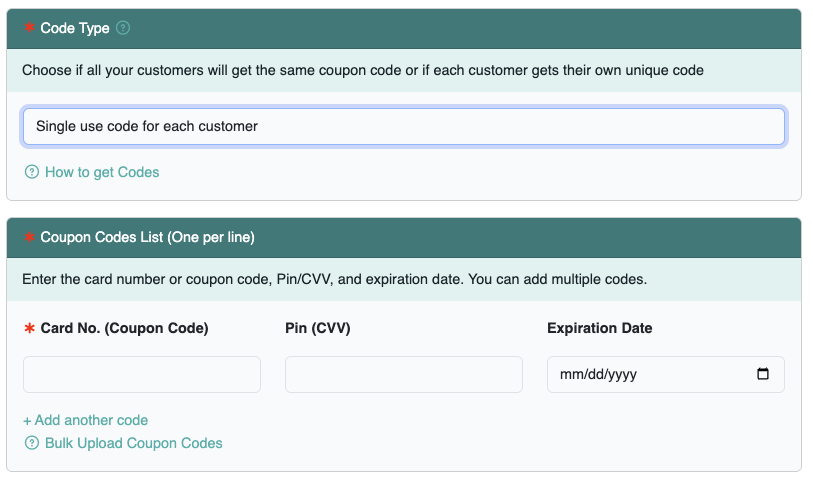
New codes become available immediately after saving.
Best Practice #
To prevent campaign disruption:
- Upload codes in bulk when possible.
- Keep a reserve of additional codes ready.
- Periodically check redemption volume during high-traffic campaigns.
If you anticipate large redemption volume, consider uploading a larger batch of codes in advance.