
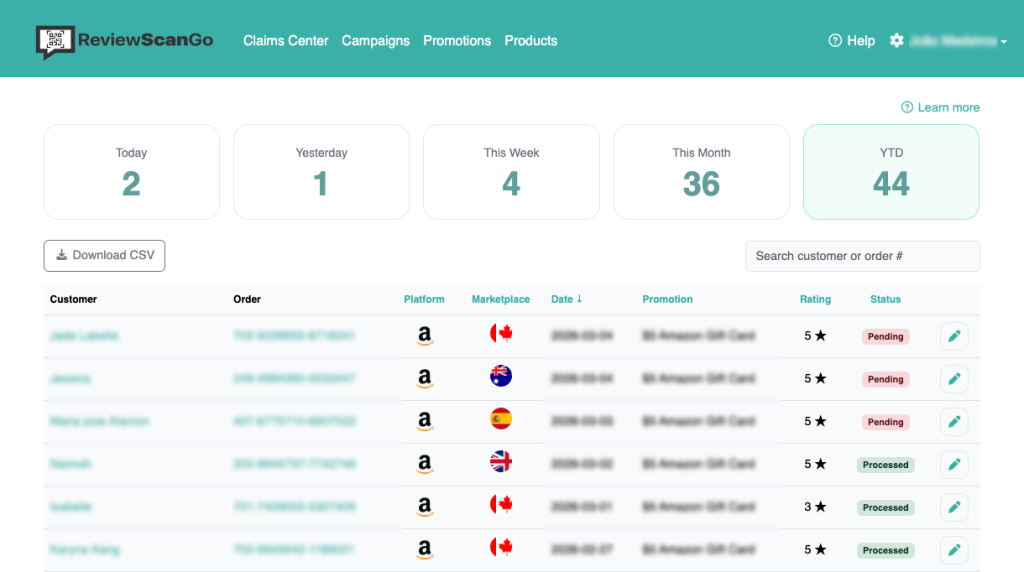
The Claims Center is your central dashboard for managing customer redemptions and tracking campaign performance.
From this page, you can review, verify, and fulfill all promotion claims submitted through your Smart Funnels.
Campaign Performance Overview #
The Claims Center also provides performance summaries and metrics so you can evaluate how your campaigns are performing.
Reviewing Customer Claims #
Within the Claims Center, you can view:
- Customer contact details
- Associated product and marketplace
- Order number (if collected)
- Customer feedback
- Whether the customer was redirected to your product detail page
This gives you full visibility into each redemption and the customer’s funnel journey.
Verifying and Processing Claims
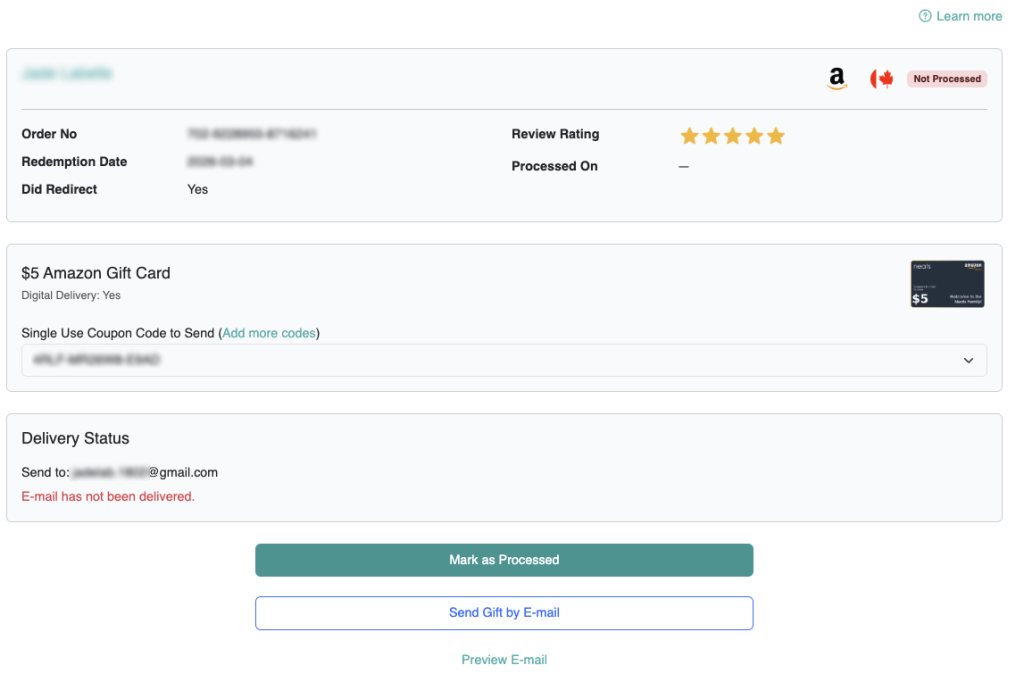
You are responsible for verifying the customer’s purchase before delivering any promotion. You can verify claims by cross referencing their order number with your Order History from your e-commerce platform.
Once verified, you can process the claim according to the promotion type.
Digital Promotions
For digital promotions:
Click the Send Gift by Email button to send the digital product or coupon code to your customers email address.
The system automatically emails the details to the customer.
After delivery, click Mark as Processed to update the claim status.
Physical Promotions
For physical promotions:
- The customer’s mailing address will be displayed.
- Ship the physical item directly to the customer.
- Once fulfilled, click Mark as Processed to record completion.
After marking a claim as Processed, you can view:
- The delivery status
- The date it was processed
- Details of what was delivered
If you need to make any changes, you can click the Unprocess button.
Claim Details and History #
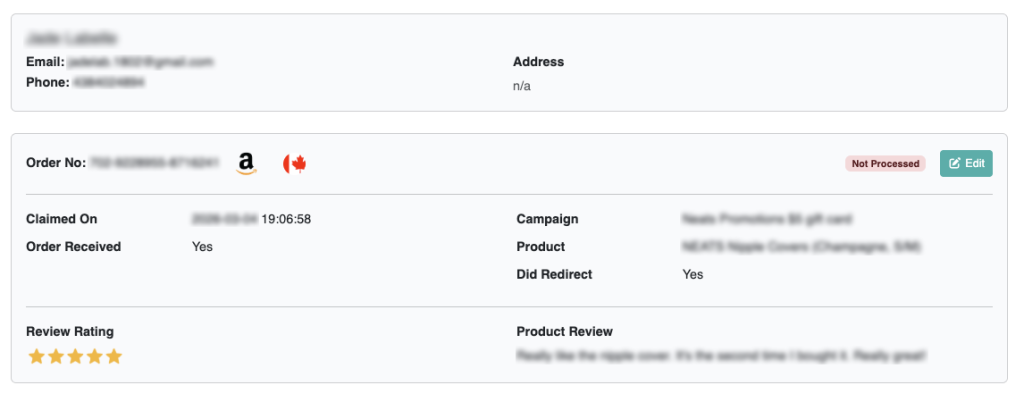
- Clicking a customer’s name displays their full contact information and claim history.
- Clicking the Edit button allows you to review claim-specific details, status, and required actions.
This ensures you can track repeat customers and monitor redemption patterns.
“Did Redirect” Status #
The Did Redirect field indicates whether the customer clicked the Share button and was redirected to your Amazon, eBay, Walmart, or Etsy product detail page.
This helps you measure engagement with your review request flow.
Video Tutorial