
You can offer discount codes, promotional codes, or virtual gift cards as part of your campaign incentives.
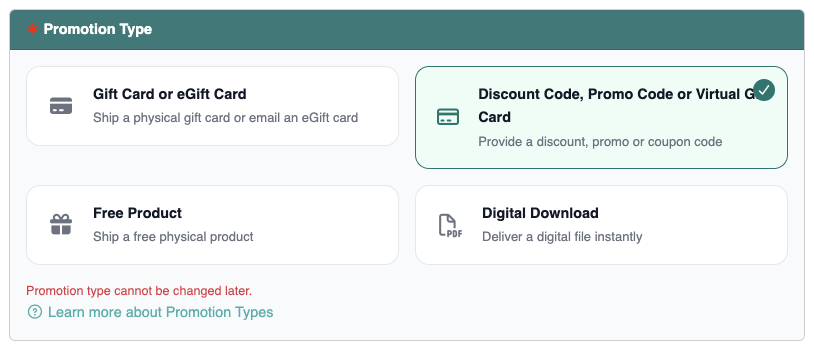
These codes are typically generated through your marketplace or eCommerce platform.
Creating Discount or Promo Codes #
Most selling platforms allow you to create promotional offers directly within your account.
For example:
- Amazon sellers can create percentage-off discounts or Buy One Get One (BOGO) promotions through Amazon Seller Central. Learn how to create an Amazon promotion here.
For additional information, refer to Amazon’s official documentation here. - If you operate your own store (such as WooCommerce, Shopify, or another eCommerce platform), you can generate coupon codes directly within your store’s settings. For WooCommerce, learn more here.
Once created, these codes can be added to your promotion inside ReviewScanGo.
Code Types #
When setting up a promotion, you must choose how your codes will be distributed.
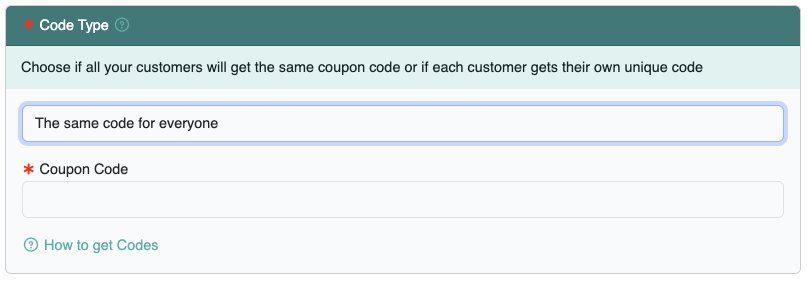
Same Code for Everyone #
With this option:
- You enter a single shared code into the promotion.
- Every customer receives the same code.
- Customers use that code to redeem their discount or offer.
This is ideal for:
- Percentage-off discounts
- Site-wide coupon codes
- Limited-time promotional offers
Because the same code is reused, you are responsible for managing expiration dates and usage limits within your selling platform.
Single-Use Code for Each Customer #
With this option:
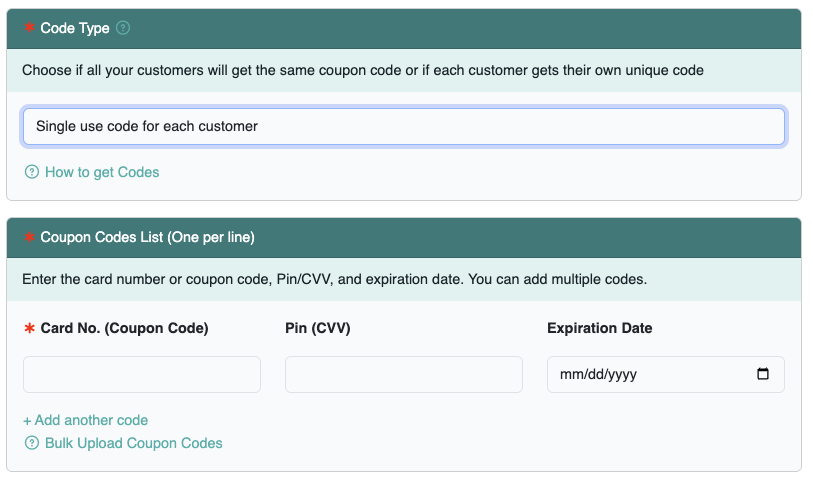
- You upload a list of unique codes.
- Each customer receives a different code.
- Once delivered, the code is removed from your available pool.
This is ideal for:
- Amazon single-use promotion codes
- Unique claim codes
- Virtual gift cards
- One-time redemption incentives
Using Virtual Gift Card Details #
If you have purchased physical gift cards but prefer to deliver them digitally, you may enter the card details into your promotion instead of mailing the card.
You can include:
- Card number
- PIN (if applicable)
- Expiration date (if applicable)
Digital Delivery #
All discount codes, promo codes, and virtual gift card details are delivered to customers via email once their claim is approved or automatically processed (depending on your campaign settings).
When a customer redeems the promotion:
- The coupon code (or card details) is emailed to the customer.
- The coupon code is removed from your available pool to prevent reuse.
This method provides fast, trackable fulfillment without shipping costs.